
Creating a governed multi-account AWS test environment, across multiple accounts, with guardrails, cost controls, and Day‑2 operations, shouldn’t require brittle scripts, ticket queues, or manual approvals.
Cloud environments used to be “just” infrastructure. Today, they span multiple AWS accounts, regions, Kubernetes clusters, VMs, serverless services, and data platforms. That makes consistency, governance, and cost control increasingly difficult as delivery velocity increases.
In this blog post we’ll walk through how Quali Torque uses agentic AI to create, govern, and operate a multi-account AWS test environment from a single intent, while automatically enforcing policy, security, and lifecycle controls.
Infrastructure chaos at scale
Most organizations have already invested in IaC and CI/CD. The problem is that automation alone doesn’t stay tidy at scale, it fragments:
- The number of pipelines and wrappers increase exponentially, and “temporary scripts” turn into critical paths.
- Sensitive or high-cost requests are directed to ticket-based processing, which requires human approval.
- Drifts occur because developers perform one-off fixes and make changes through console commands.
So, the missing piece isn’t more scripts. It’s unifying context, governance, and lifecycle control in a single system.
What is agentic AI in a DevOps context?
In DevOps context, agentic AI focuses on function over abstraction: It uses policy-aware agents to autonomously carry out infrastructure tasks, such as provisioning, updating, and retiring environments, while operating strictly within predefined guardrails.
Instead of adding another automation layer, agentic AI connects intent to execution. It evaluates requests against policy, current system state, and cost constraints, then orchestrates the approved actions across accounts and environments, including Day‑2 operations where drift, cost, and lifecycle issues typically emerge.
Quali Torque: A DevOps infrastructure assistant
Quali Torque operates as an Environments-as-a-Service (EaaS) platform that enables users to leverage their existing automation tools (Terraform/OpenTofu, Kubernetes, Helm, and more) and convert them into blueprints accessible through a self-service catalog.
Torque allows organizations to convert platform engineering best practices into operational content:
- Creates standardized environment building blocks also known as blueprints to prevent duplicate stacks.
- Offers self-service operations through catalog, API, and CLI commands.
- Manages complex systems—multiple AWS accounts, hybrid components, and their dependencies, while showing all activities through a unified operational interface.
- Provides ongoing support for Day‑1 operations and enables users to perform Day‑2 actions through automated workflows.
- Tracks costs to show both resource usage and waste, helping you avoid unnecessary environmental costs from becoming permanent expenses.
Where the “agentic” angle comes into play is that Quali Torque acts like an intent-to-environment control plane: It helps you bind requests to the right approved templates, enforce policies, and consistently orchestrate provisioning and operations.
Scenario: A multi-account AWS test environment
As a Platform/DevOps engineer, you are responsible for the operation and maintenance of multiple shared environments used by several teams. The aim is to maintain velocity while achieving strong security.
A typical enterprise setup will include:
- Accounts: Production, development, testing, and staging with their own AWS credentials.
- Baselines: VPCs, subnets, security groups, IAM policies, KMS keys, and centralized logging.
- Optional GPU readiness: Approved instance families/regions and quota awareness.
- Governance: Required tags, budget thresholds, TTL, and approval gates.
This is exactly the kind of request where Torque is useful. It’s high-volume, high-risk, time-sensitive, and “just Terraform + pipelines” will result in brittle wrappers and slow approvals. Torque packages the approved multi-account pattern as a blueprint, applies guardrails (RBAC, tags, TTL, budgets), orchestrates provisioning across accounts, and standardizes Day‑2 lifecycle actions.
Let’s see how it’s done in the walkthrough below.
Walkthrough: Launching a governed multi-account AWS test environment (Day-1 and Day-2)
The complete process of launching, operating, and retiring a governed multi-account AWS test environment starts with a single request, which leads to a controlled environment where you can perform operations before the system reaches end of life.
Step 0: Prepare the foundation (one time)
Torque enables all users to perform self-service operations independently with the onboarded accounts:
- Connect accounts and execution roles: You must link your AWS accounts to Torque while defining which roles Torque needs to execute provisioning operations and operational functions.
- Connect repos and import IaC assets: Link Terraform modules and other automation from Git. Torque repackages these existing IaC assets into reusable, governed building blocks (blueprints) that can be launched consistently through the catalog/API/CLI.
Step 1: Express intent
Users interact with a user-facing, copilot-style experience in Torque to describe what they want to achieve.
In Torque’s Blueprint AI text field, enter a natural-language request such as
“Launch a test environment across three AWS accounts” and start your dialog.
At this stage, Torque focuses purely on intent capture and guidance. The copilot experience helps users understand what is available to them, surfaces relevant options, and provides immediate feedback in the UI before translating the request into an execution plan or preparing infrastructure actions:
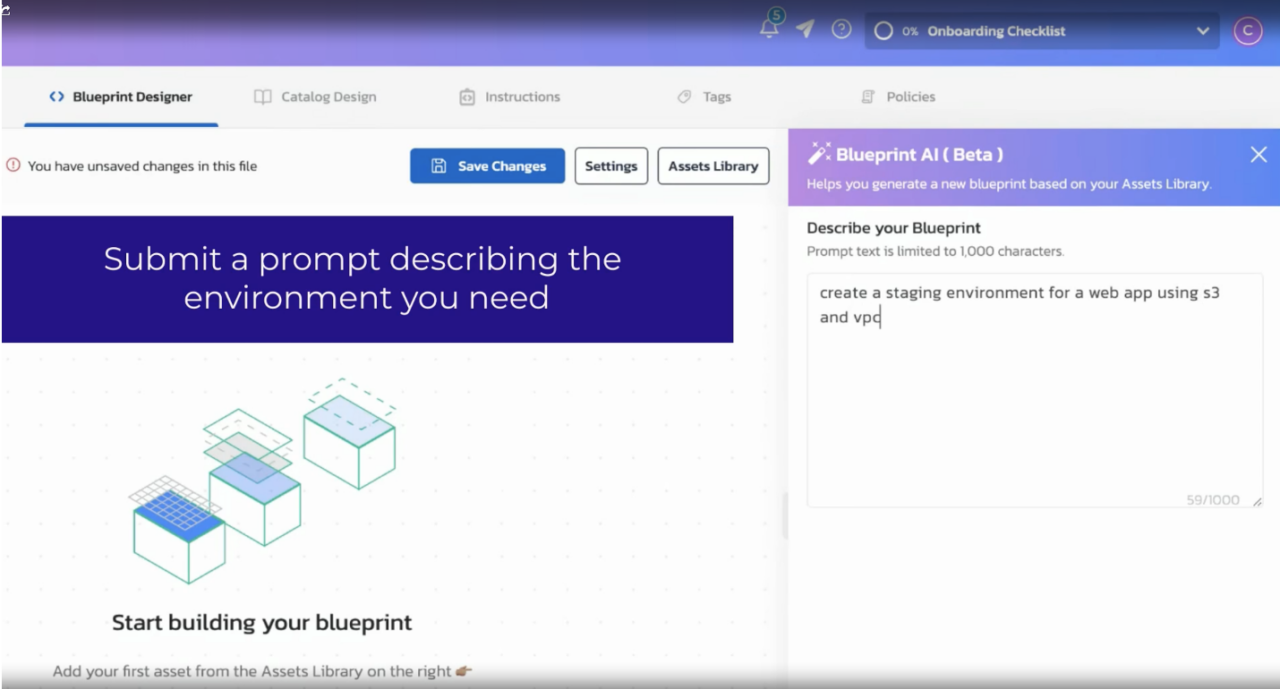
Figure 1: Defining environment in Torque
Step 2: Codification: From intent to a concrete plan
In this step, Torque translates the user’s expressed intent into a concrete, executable launch plan. This is where intent becomes system wiring for provisioning.
Torque binds the approved blueprint to specific AWS accounts, roles, Regions, inputs, and policies, assembling the full execution workflow that will later be orchestrated across accounts.
The resulting plan can be reviewed before launch:
- Confirm the suggested blueprint (the approved multi-account pattern).
- Select the target accounts/roles (e.g., Shared Services, Network, Test) and any required region/environment options.
- Accept defaults or adjust a small set of inputs (TTL, size, tags, optional components).
- Review the generated execution plan (and any cost/guardrail signals) before launching.
This step removes ambiguity by making the translation from intent to execution explicit and reviewable.
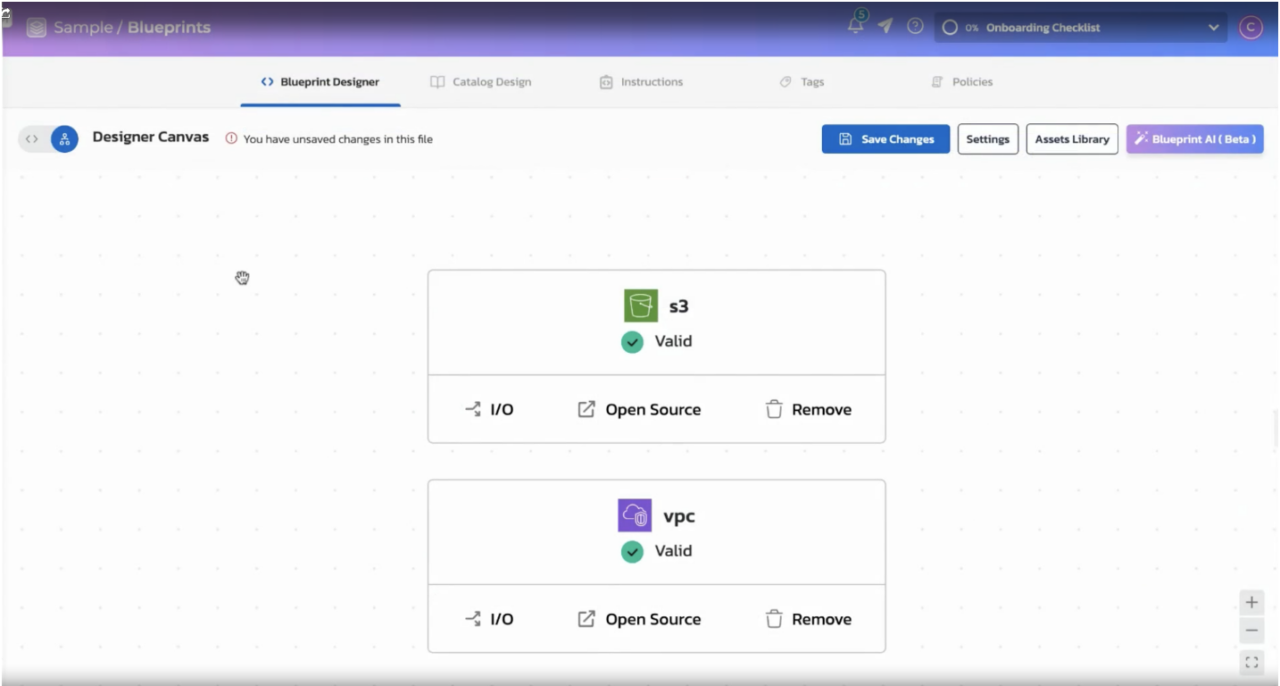
Figure 2: Concrete plan in Torque
Step 3: Policy enforcement: Bake governance into the launch
Before provisioning the environment resources (network baseline, identity/logging, and the test workload components), Torque evaluates policies such as:
- Required tags and naming standards.
- RBAC constraints (who can launch what).
- TTL limits and concurrency limits.
- Expected cost thresholds (deny or require approval).
- Specific regions for deployment with instance family options and GPU-based limitations.
You can also use ServiceNow for IT Service Management (ITSM) workflows to request approvals, as Torque supports common enterprise approval and change-management processes.
Step 4: Orchestration: Provision at scale across accounts
Creating a multi-account environment requires more than running Terraform once. Torque’s orchestration coordinates the end-to-end provisioning workflow across accounts. In practice, that means it can:
- Run operations across different AWS accounts simultaneously.
- Respect dependencies, including network security, logging, and application functions.
- A retry mechanism that displays all error information to users during its operation.
- Stream status and logs into a single operational view (and, optionally, ChatOps).
The desired outcome is maintaining environmental stability while documenting deployment activities.
In Torque, you can launch the environments with a single click and watch the process:
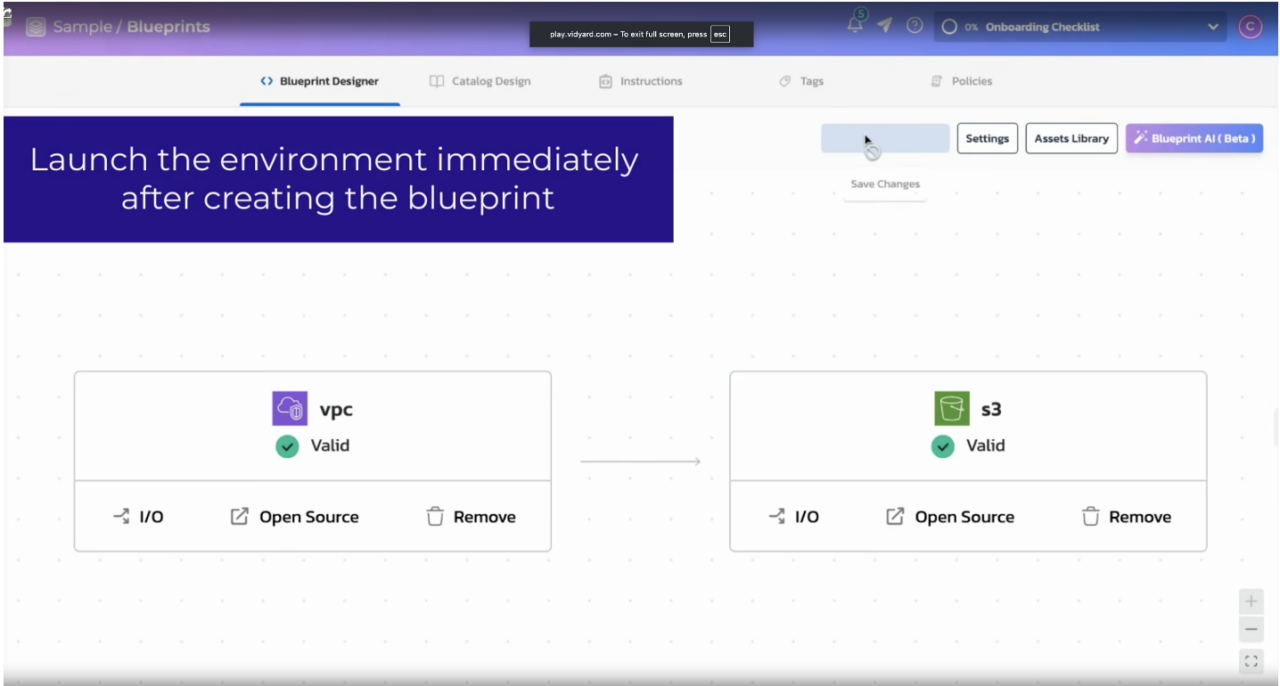
Figure 3: Executing plan in Torque
Step 5: Day‑2 operations: Drift, remediation, cost, and lifecycle
Once the environment is running, Torque will manage for Day-2 operations:
Drift detection and reconciliation
Torque detects resource changes that occur during live environment operation (console edits or emergency tweaks) and it can choose between reconciliation and rollback procedures. Drifts are counted as operational warnings, rather than unexpected events.
Cost optimization actions
As a practical assistant, Torque doesn’t just report cost; it helps you act by:
- Identifying idle resources and potential savings.
- Enforcing TTL (and optionally schedules) to prevent “forgotten” environments.
- Denying launches that violate cost policies (e.g., oversized, overly long runtimes, etc.).
Lifecycle management
Standard actions should be easy and well-governed, such as extending TTL (with approvals when needed) and scaling or updating components.
The main value of environments-as-a-service lies in its ability to both speed up deployment and minimize operational complexity, which becomes less complex over time.
Step 6: Observability and feedback loops
In Torque, the dashboards and reports answer the following questions:
- Which blueprints are most used?
- Where are failures happening?
- What are the total expenses for each account team and blueprint?
- How much waste from your system is eliminated by the unused resources and the forced destruction?
Feedback from these insights helps you enhance blueprints, adjust policies and defaults and simplify the path to success.
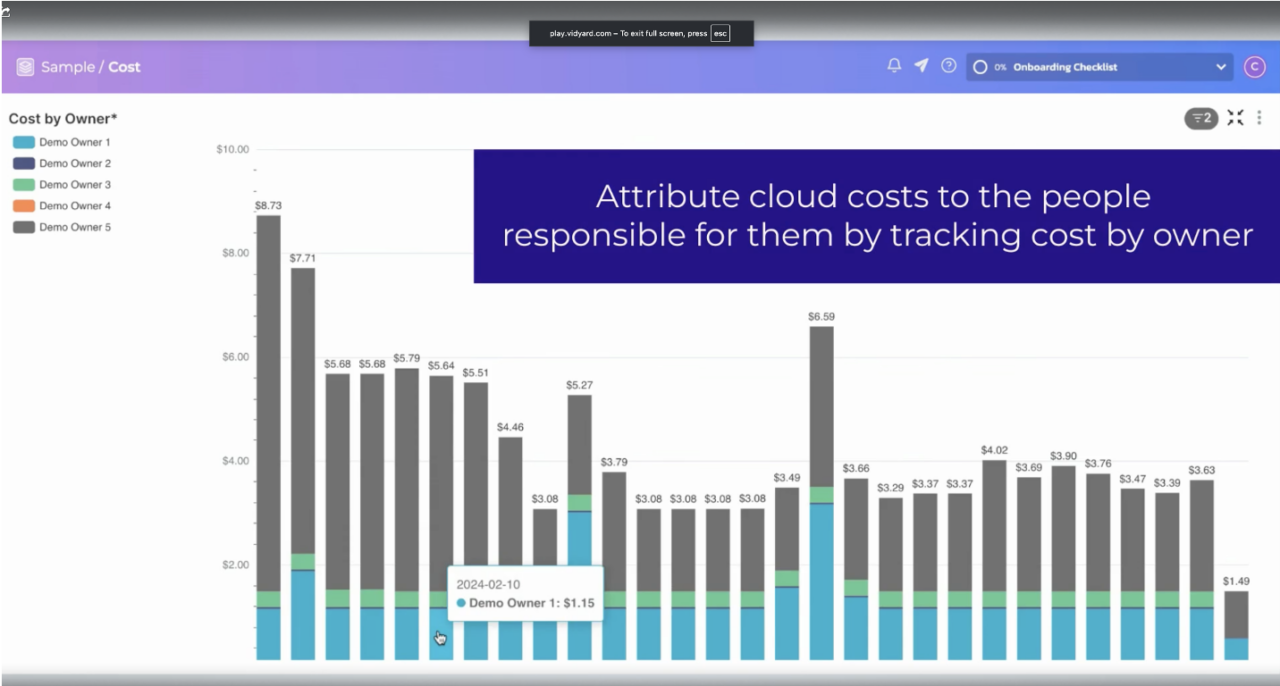
Figure 4: Cost attribution in Quali Torque
Under the hood: How Torque stays “agentic”
Under the hood, Torque connects a user’s request to what your organization has approved and what’s currently running, then executes the right workflow with guardrails and learns from the outcome.
In simple terms, the model is: Intent + context → governed actions → feedback:
- Intent: What you ask for (launch/extend/update/terminate).
- Context: Inventory of assets and blueprints, RBAC, policies, runtime state, cost/usage signals.
- Governed actions: Orchestration and Day‑2 workflows constrained by policy.
- Feedback: Reports and telemetry that improve the next launch and the next policy iteration.
That’s what makes Torque feel like an infrastructure assistant instead of a static catalog.
Outcomes and next steps
When you operate this way, you’re optimizing for outcomes that matter in enterprise platform engineering:
- Faster process requests, but do not convert the platform team into a help desk for ticket management.
- Establish security protocols that defend all AWS accounts and hybrid environments.
- Less drift and fewer “mystery changes”.
- Better cost control through TTL and idle detection.
- A shared catalog of reusable blueprints that scales across teams.
Agentic AI in DevOps isn’t magic, it’s the practical convergence of reusable environment definitions, policy enforcement, orchestration, and continuous operations. Experience it with Quali Torque now by visiting the playground or start your 30-day trial today.