
FinOps Is Being Reinvented. Torque Is How You Lead That Change.
The old model, tracking spend after the fact, chasing waste, reconciling invoices, is broken. AI infrastructure moves too fast and costs too much for reactive cost management to work. Torque gives you cost intelligence built directly into infrastructure provisioning, so you stop explaining what was spent and start controlling what gets spent. That’s not just better FinOps. That’s a completely different role.
Stop Reporting on Waste.
Start Preventing It.
Torque puts cost control at the point where it actually matters, before infrastructure is provisioned, while it’s running, and the moment it stops delivering value. You move from the team that delivers the bad news to the team that makes sure there isn’t any.

You’re Always Looking Backwards
You identify cost issues only after spend has already happened, when it’s too late to prevent waste.

Cost Visibility Stops at the Invoice
You can see what was spent but not clearly connect that spend to usage, ownership, or business value.

AI Has Made the Old Approach Obsolete
AI workloads change cost patterns faster than traditional cost management processes can keep up with.
Torque gives you cost control at the point where it actually matters, before infrastructure is provisioned, so you stop reporting on waste and start preventing it.
Cost attributed from creation, every resource tagged with owner, team, and purpose the moment it exists. No retroactive chasing.
Waste eliminated automatically, idle and over-provisioned environments identified and reclaimed continuously, not at month end.
AI spend governed like everything else, GPU workloads, training runs, and inference environments held to the same cost controls as any other resource.
Torque Gives FinOps the Power to Shape Spend Before It Happens
Every environment provisioned through Torque carries cost intelligence from the start, estimated before launch, governed at provisioning, tracked in real time, and cleaned up automatically when no longer needed. You get complete visibility across every workload, every team, and every technology. And for the first time, you can tie infrastructure spend directly to the business outcomes it supports, making FinOps not just financially important, but strategically indispensable.
Know the Cost Before Anything Gets Built
Before any environment launches, Torque shows the exact cost of what’s about to be provisioned. Every team, every request, every resource, costed upfront, not discovered on a bill three weeks later. Policy limits prevent over-sized or non-compliant deployments from being approved in the first place. You’re managing spend at the moment it’s created, not after it’s been wasted. You understand the cost of infrastructure before it is provisioned, not after it appears in a bill.
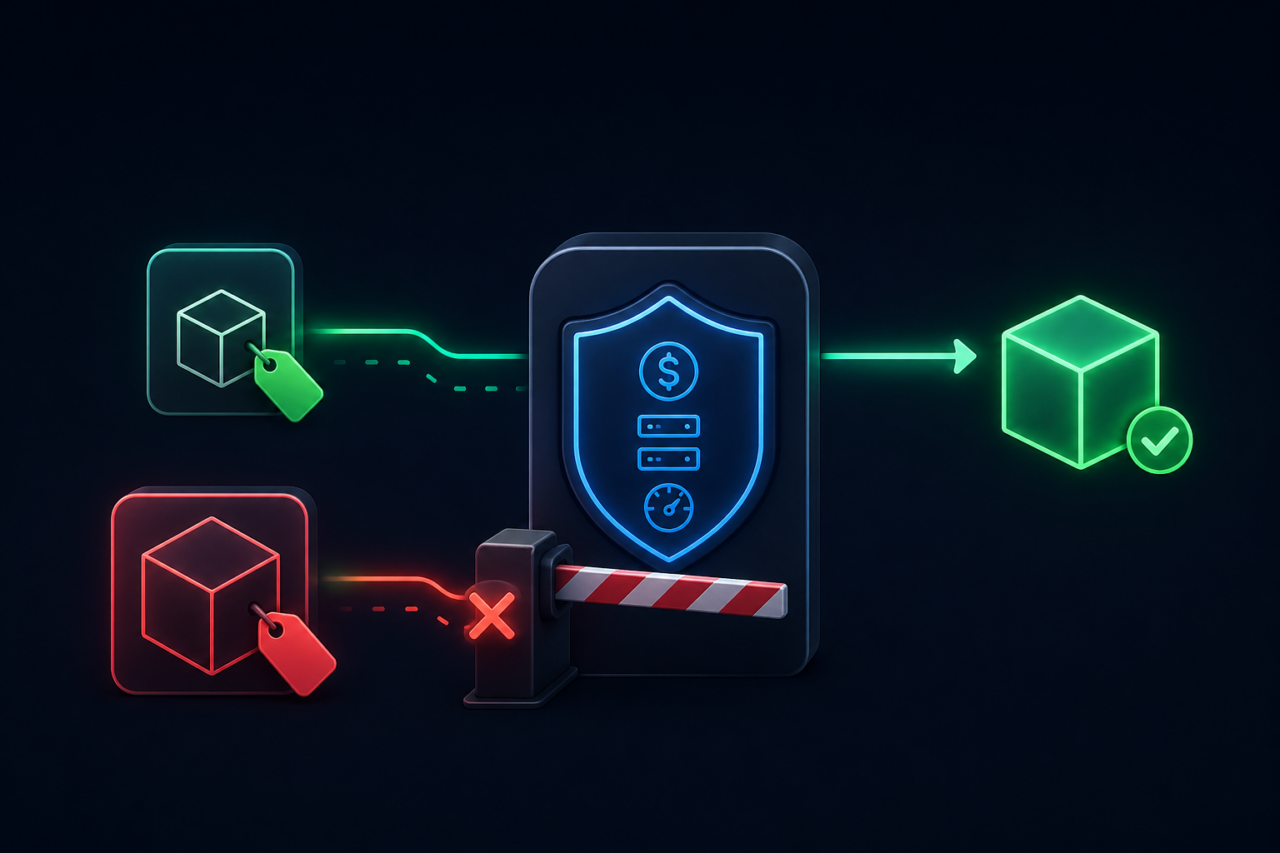
Every Environment Tagged, Attributed, and Accountable
Every resource provisioned through Torque is automatically tagged with owner, team, service, and business purpose from the moment it’s created. No manual tagging. No retroactive attribution. No chasing teams for information at month end. Cost is attributed accurately and instantly, to the service, the workload, and the business outcome it’s meant to support. You stop asking “who spent this?” You already know. And so does everyone else.
Real-Time Cost Visibility Across Every Workload
Cloud, on-premise, AI workloads, GPU infrastructure, containers, Torque gives you a single, real-time view of what everything is costing across your entire technology landscape. Not a monthly report. Not a dashboard you refresh manually. A live picture that updates as infrastructure changes, so you can act on cost issues in the moment they appear, not the month they surface. You see infrastructure cost as it happens, allowing you to act immediately instead of reacting later.
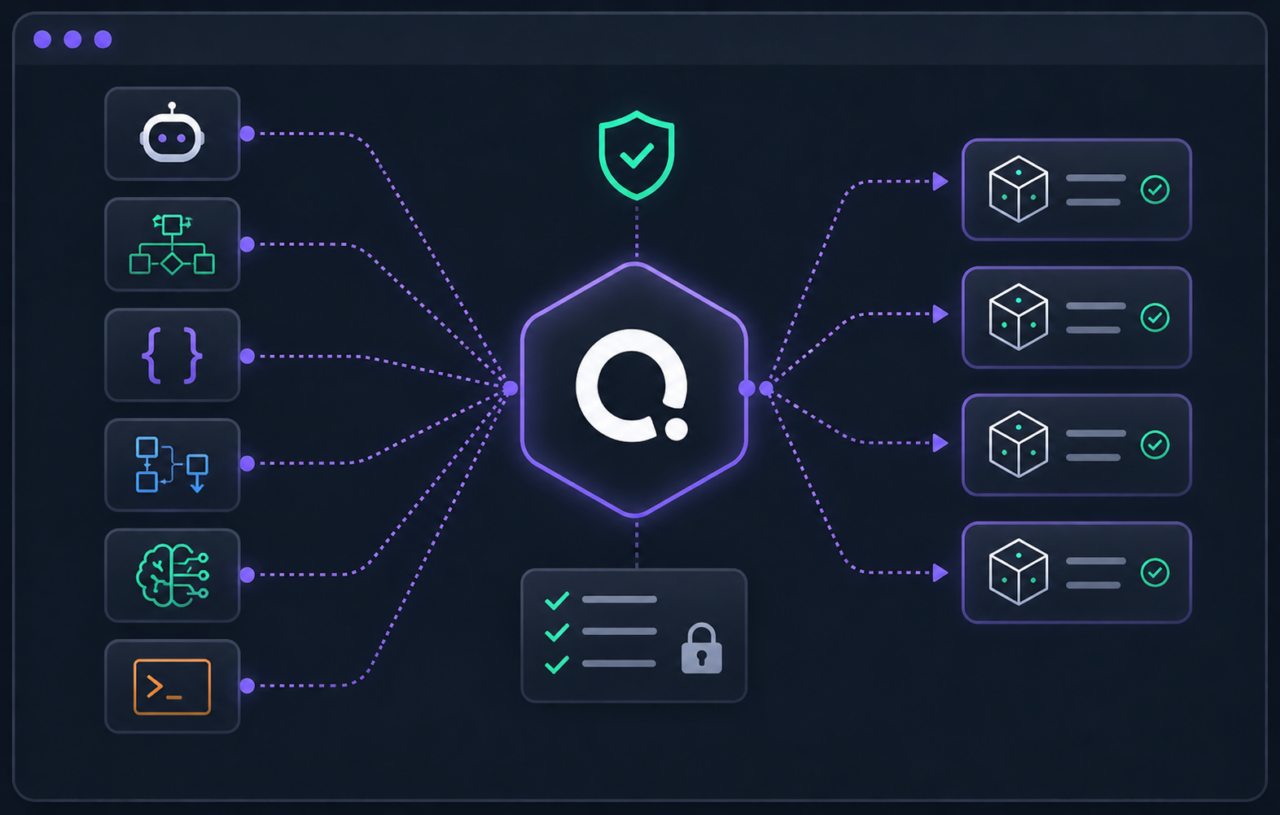
AI Spend Governed Like Everything Else
AI workloads, training runs, inference environments, GPU clusters, are provisioned through the same governed platform as everything else. Cost ceilings are enforced before deployment. Idle AI infrastructure is flagged and cleaned up automatically. Usage is tied to the models and outcomes it supports. You can finally answer the question every CFO is asking: is your AI spend actually delivering value? AI infrastructure is the fastest-growing cost in your organization. Now it’s the most controlled.
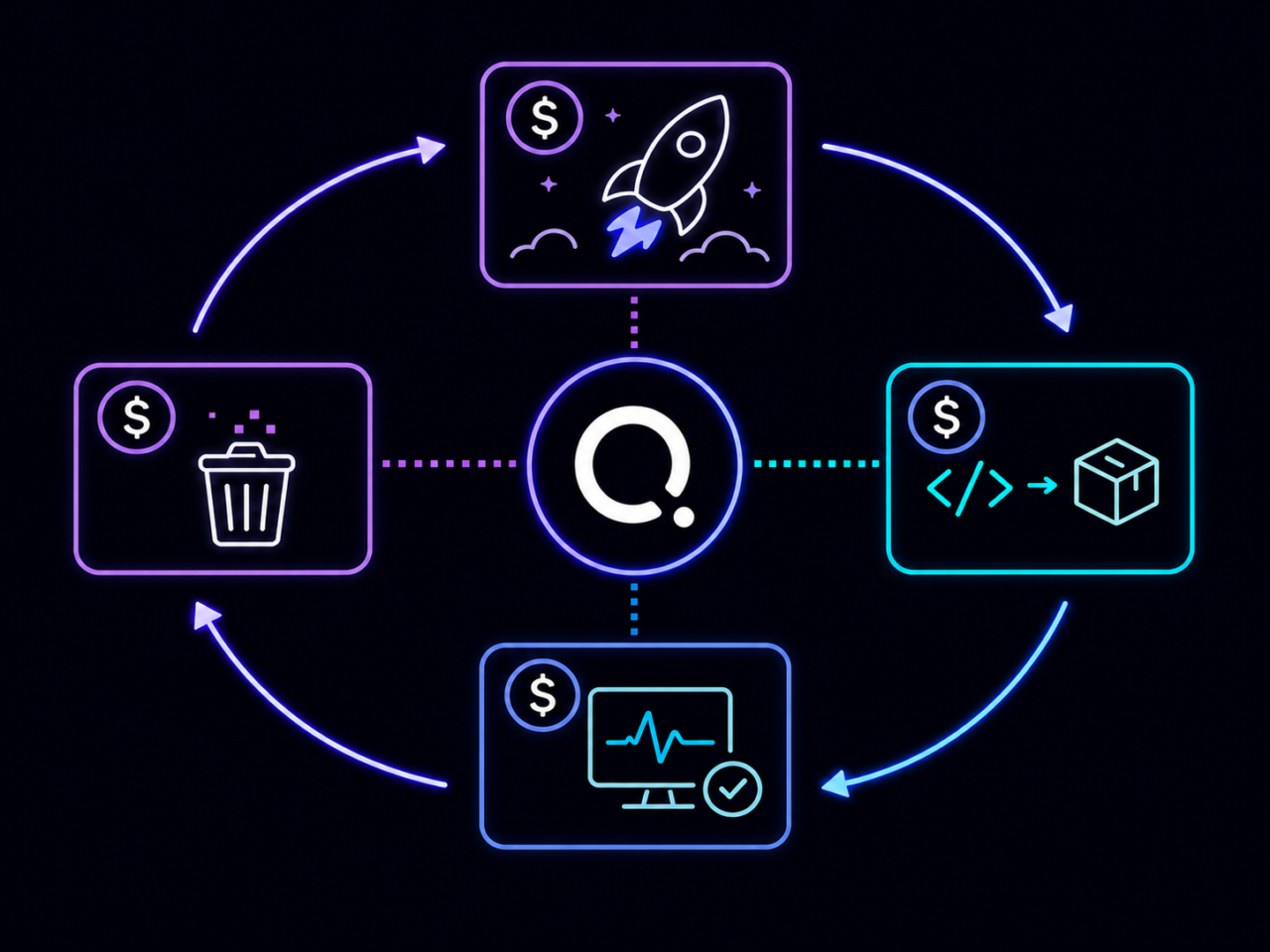
Waste Eliminated Automatically, Not Manually
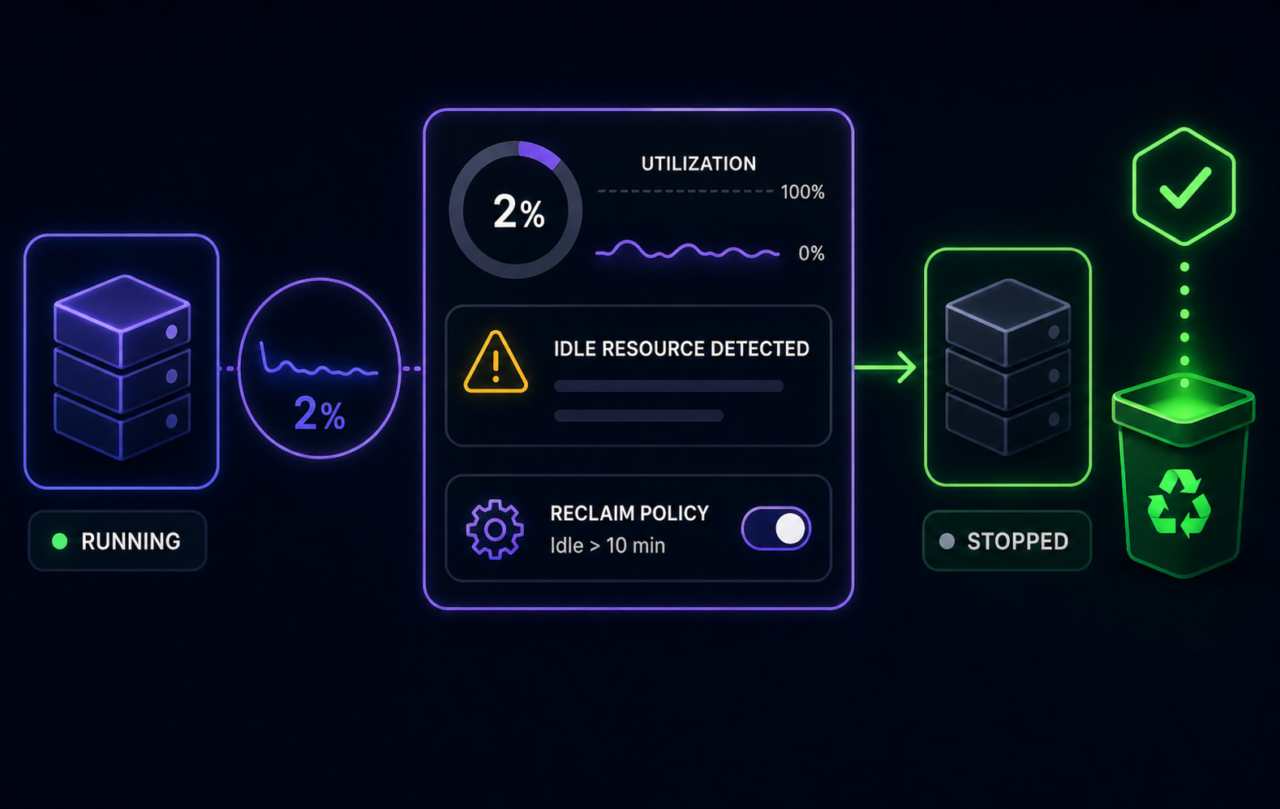
Torque continuously monitors every running environment for idle resources, over-sized instances, and environments that have outlived their purpose. When something isn’t being used, Torque flags it, scales it down, or shuts it off, automatically, based on policies you set. You stop hunting for waste. The platform surfaces it and acts on it for you. You don’t need a bigger team to manage a bigger infrastructure. You need smarter automation.
Cost Intelligence Tied to Business Value
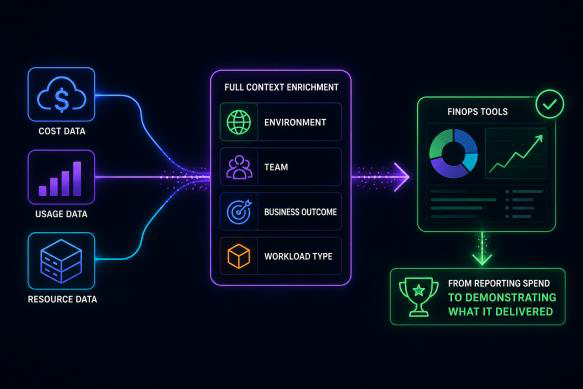
Every piece of cost data in Torque is linked to context, what the environment is for, who owns it, what business service it supports, and what outcome it’s meant to deliver. That means you can move beyond “here’s what we spent” to “here’s what we got for it.” Infrastructure ROI becomes a real conversation, backed by real data, that puts FinOps at the center of technology strategy rather than the end of the month. You can clearly show what infrastructure spend is delivering and how it supports business outcomes.
See How Torque Eliminates Wasted Cloud Costs

Frequently Asked Questions
Not necessarily. While most FinOps tools focus on the pricing offered by the cloud service providers, Torque manages the provisioning of infrastructure in a way that improves efficiency by identifying, denying, and eliminating waste.
Torque streamlines the creation, provisioning, and ongoing management of cloud environments. For FinOps teams, Torque can be used to integrate cost-efficiency standards into day-to-day DevOps, IT operations, and other engineering workflows.
For example, a FinOps team may identify right-sizing opportunities that could significantly eliminate wasted cloud costs. With Torque, the FinOps team can establish a policy prohibiting the deployment of the overly expensive instance sizes. Once activated, Torque will automatically deny any attempt to provision a cloud instance that violates that policy on size.
Torque can also help FinOps teams identify additional opportunities for cost savings. Torque’s AI Copilot reviews all cloud services deployed via the platform and identifies those which are inactive, providing a report showing all idle resources that administrators can review and act on. Beyond the immediate cost savings of terminating those instances, these insights can be valuable for identifying recurring trends that inflate cloud costs.
So while Torque is not a traditional FinOps tool, the role it plays in the delivery of cloud infrastructure makes it valuable for achieving the end goal of a FinOps team–cloud cost optimization.
Torque creates an Environment as Code blueprint for each cloud resource managed through the platform, requires a pre-set duration prior to the deployment of those environments, and monitors the state of those live resources continuously. This blueprint defines the infrastructure code, application services, input parameters, dependencies, and any other resources needed to deliver the output of the environment.
For temporary, non-production workloads, administrators can require users to set a duration after which Torque will automatically terminate all cloud services deployed. In cases where the same workloads are provisioned at the beginning of each work day, Torque will automatically provision these resources and terminate them based on the schedule set by the administrator. For ad-hoc environment deployments, Torque users will see a required form field and simple pick-list to set the duration of the environment they’re about to deploy–with the maximum duration set by the administrator. This allows users to run a workload for just the amount of time they need it.
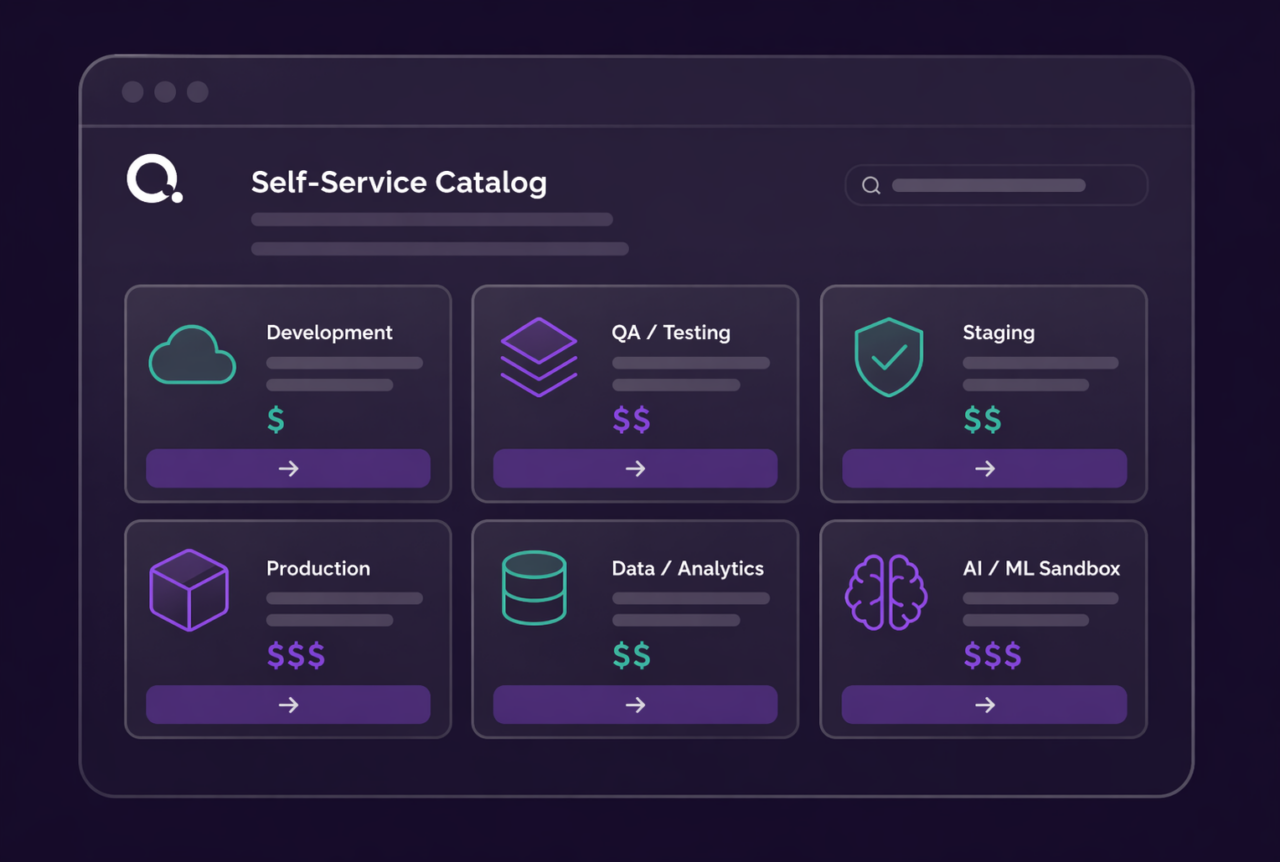
Based on the cloud service defined in the Environment as Code blueprint and the duration set upon deployment, Torque can calculate the actual cost of those cloud resources before they’re deployed. This allows Torque to display projected costs for any resource available on the self-service catalog where users deploy these resources, establishing accountability.
This data is also valuable for Torque’s governance capabilities. Torque administrators can set policies to deny the provisioning of any environment configured to exceed a custom cost threshold, including the ability to trigger approvals workflows. This allows administrators to prevent costly activity without requiring a FinOps or DevOps engineer to review every resource prior to deploying them.
In a couple of ways. Torque can automatically apply tags to every cloud resource deployed via the platform, including for ad-hoc deployments. When users provision an ad-hoc environment via Torque’s self-service catalog, they can browse a field with a pre-set pick-list of tags that Torque will automatically apply to the cloud service upon deployment. Administrators can also set default values so that users can skip tagging altogether. This ensures that no resource is deployed with missing or misspelled tags, which can throw off cost reporting.
Torque also executes Day 2 actions on live cloud infrastructure, which can include applying tags to cloud resources. This can enable FinOps and DevOps teams to integrate automated tagging on cloud infrastructure as part of the standard lifecycle of a cloud environment.
Since Torque executes the code to provision cloud services, the platform can track the users responsible for that activity along with other valuable metadata that the platform provides.
This allows Torque’s cost dashboard to provide reports showing cost by user, space (where user access is managed), cloud platform (AWS, Azure, GCP), cloud account, and other information.
While Torque does not replace the in-depth reporting of FinOps tools, the cost dashboard provides valuable context to make informed decisions about how DevOps, IT, and other teams operate cloud infrastructure.
Torque’s AI Copilot monitors the state of all cloud services deployed and automatically reviews the capacity the each service uses every hour. When a resource is inactive, Torque’s AI Copilot flags it as an idle resource, calculates the cost savings of terminating it, and adds it to a report listing all inactive resources.
This report provides FinOps and DevOps users the context to evaluate and act on opportunities to eliminate wasted cloud costs by terminating idle resources.
Torque executes the code to provision infrastructure, which allows the platform to allow or deny this activity based on custom policies set by administrators. Some examples include:
- Restricted instance sizes allows admins to deny any attempt to provision instance sizes that are not approved
- Maximum runtimes allow admins to deny the provisioning of any cloud resource for longer than is approved
- Maximum cost allow admins to deny provisioning based on the cost, which is calculated based on the resource size and duration of the deployment
Admins can choose to apply these policies to all users or just to those in select Spaces in Torque.
Torque can also trigger approval workflows, in which an administrator can quickly and easily approve a potential violation of a cost policy. This streamlines the provisioning of cloud infrastructure that is within budget while providing control over anything with potential to surpass cost constraints.
Full cloud cost capabilities in Torque are available for AWS, Microsoft Azure, and Google Cloud Platform.
Torque also supports various other public, on-premises, and hybrid cloud infrastructure tools.


Try it yourself
Explore Torque in a live playground
No installation. No configuration. Launch a fully governed environment in minutes and see how Torque discovers, normalizes, and controls infrastructure across your technology stack.
Pre-loaded blueprints across IaC, containers, and GPU infrastructure, ready to launch in one click.
Real governed environments that provision, enforce policy, and tear down automatically.
No credentials required, explore the full platform experience without connecting your own cloud.
Live cost and drift tracking so you can see the governance layer in action from day one.
Ready to see more? Book a demo with our team
See how Torque governs your entire technology stack, from IaC to GPU infrastructure, in a live session tailored to your environment.